Mozilla adds AI‑powered browsing tools to Firefox Smart Window
Firefox’s Smart Window now integrates real‑time web data, automatic tab grouping and visual history previews through a new Exa partnership.
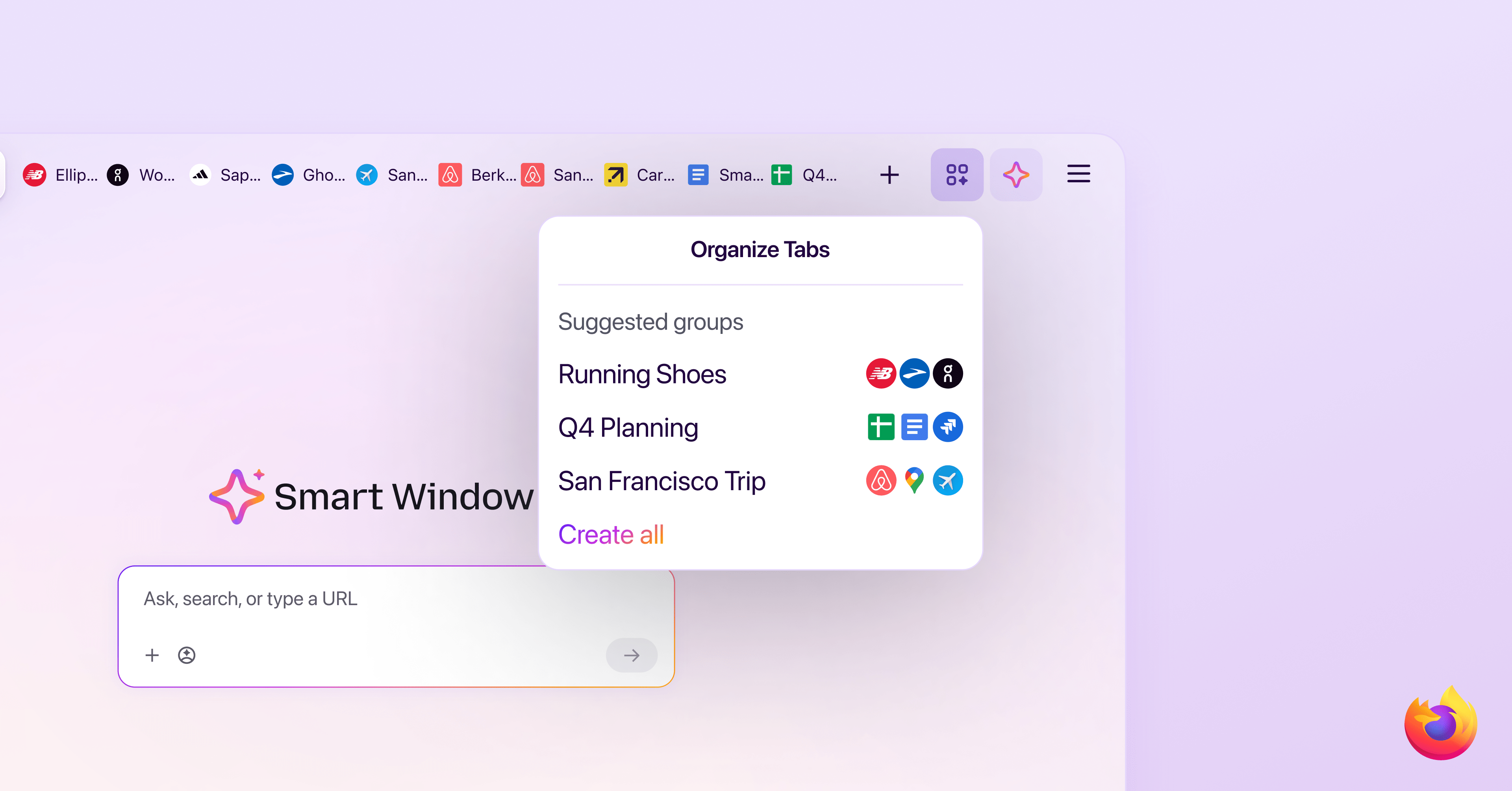
Mozilla has rolled out a major update to Firefox’s Smart Window, the browser’s AI‑enhanced mode that blends chat assistance with on‑page navigation. The upgrade lets the built‑in AI chat draw directly from up‑to‑date web content, and each response now includes a link to the source page, a capability made possible by a collaboration with the search‑engine startup Exa.
In addition to richer answers, Smart Window can interpret natural‑language queries about a user’s browsing history. Typing a phrase such as “running shoes I looked at last week” prompts the AI to sift through recent tabs, surface relevant pages, and display thumbnail previews of the sites visited. The visual cues help users locate past content without scrolling through long history lists.
The update also introduces automatic tab‑group suggestions. When the browser detects related pages open simultaneously, it proposes a grouped view and offers a one‑click option to close duplicate tabs. This feature aims to reduce clutter and streamline multitasking for power users who keep many tabs active.
During a live demonstration, the Smart Window AI successfully compiled a collection of images from multiple shoe retailers that the presenter had examined earlier, illustrating how the system can aggregate media from disparate sites into a single, coherent response. The ability to pull both text and visual assets from a user’s own browsing footprint marks a step forward in contextual AI assistance.
Mozilla says the enhancements are part of an ongoing effort to make Firefox a more intuitive, AI‑driven platform while preserving user privacy. The company emphasizes that all processing occurs locally where possible, and that the Exa integration respects existing data‑handling policies. Users can enable the new Smart Window features through the browser’s settings menu, with the option to toggle the AI chat and history‑search functions on or off.
Overall, the refreshed Smart Window aims to blend conversational AI with traditional browsing tasks, offering a more seamless way to retrieve information, manage tabs, and revisit past searches without leaving the browser environment.